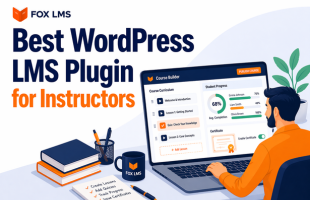
To create a successful WordPress online course you as an instructor need more than just a functional website with posts and pages. You need good course structure, progress tracking, and a way to manage students properly. In other words, a strong LMS Plugin.
In this guide, you’ll learn exactly how to build and launch your course using FoxLMS, directly inside your WordPress dashboard, most importnatly no coding required.
This is written for individual instructors who want clarity, not complexity.
Step 1: Install and Activate FoxLMS
From your WordPress dashboard:
- Go to Plugins → Add New
- Search for FoxLMS
- Click Install
- Click Activate
Once activated, you’ll see a new FoxLMS section in your admin sidebar.
This is where your entire course system will live.
Step 2: Create Your First Course
Inside FoxLMS:
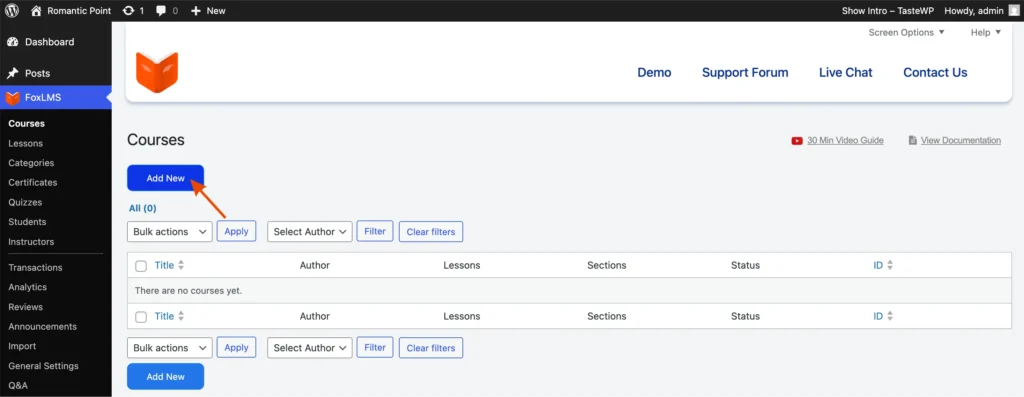
- Go to Courses
- Click Add New Course
- Enter your course title
- Add a short description
- Upload a featured image (optional but recommended)
Think of this as the “container” for everything else.
Before adding lessons, take 10 minutes to outline your structure:
- What outcome will students achieve?
- How many modules will you need?
- Where should quizzes go?
A clear structure prevents messy course builds later.
Step 3: Organize Modules and Lessons
FoxLMS allows you to structure content logically:
- Add Modules (Sections)
- Add Lessons inside each module
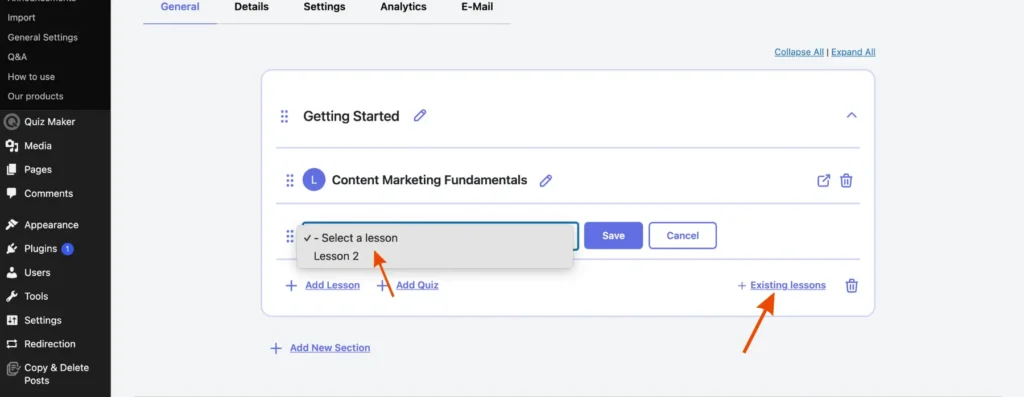
- Drag and reorder lessons
- Edit anytime
Best practice:
- Keep modules focused on one major topic
- Keep lessons short and digestible
- Avoid turning one lesson into a 40-minute lecture
Students prefer momentum over density.
Step 4: Add Lesson Content
Each lesson can include:
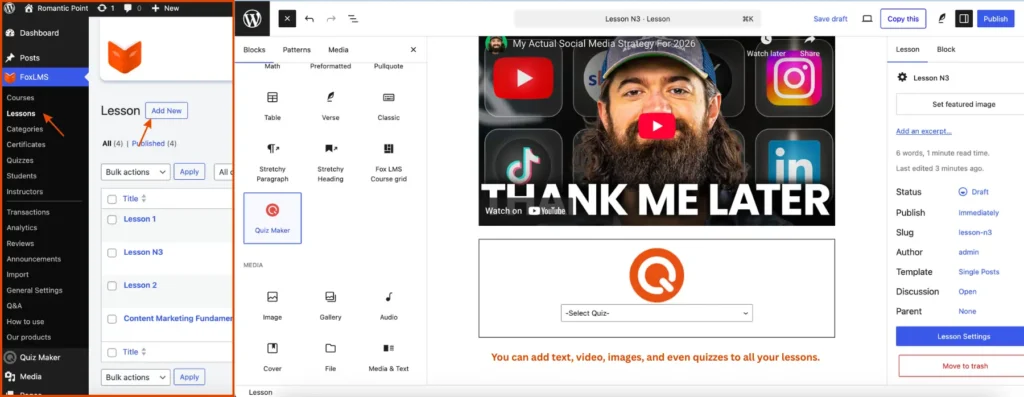
- Video uploads or embeds
- Written explanations
- Images
- Downloadable files
- Resource links
You build lessons directly using the WordPress editor, which means formatting stays simple and familiar.
Some practical advice:
- Use clear headings inside lessons
- Give short summary at the end result
- Combine video content with written key points
Not all students learn the same way.
Step 5: Create Quizzes
With FoxLMS you get access to quiz functionality.
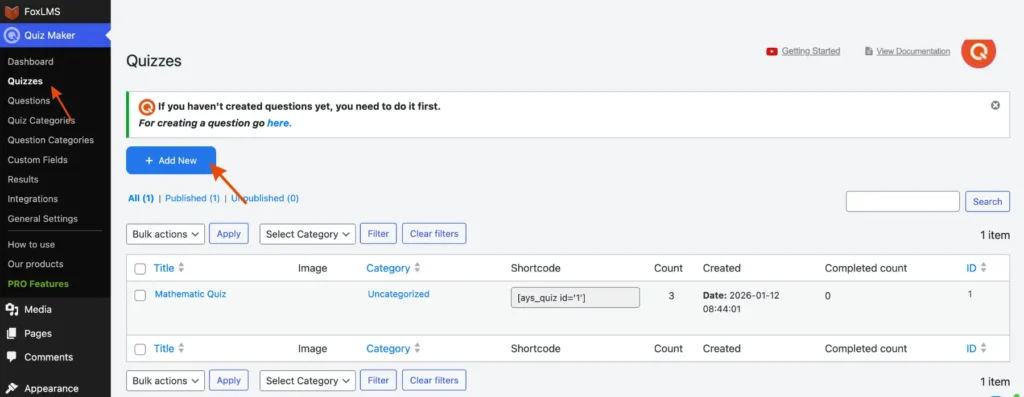
You can:
- Add multiple-choice questions
- Set passing scores
- Control time limits (if needed)
- Show instant feedback
- Track student performance
You don’t only use Quizzes for testing. With quizzes you can:
- Improve student engagement
- Improve course retention
- Show student progress
The quizzes don’t need to be long, a simple 5 question quiz after each module will do the job.
Step 6: Configure Enrollment and Access
Once your course content is ready, you decide how students access it.
FoxLMS allows you to:
- Offer free enrollment
- Sell courses (one-time purchase)
- Create restricted access
- Manage student enrollments manually or automatically
You stay in control of:
- Who sees the course
- When they see it
- How long they keep access
WordPress is one of few platforms that gives this advantage of high flexibility, something that third party marketplaces don’t usually offer.
Step 7: Track Student Progress and Analytics
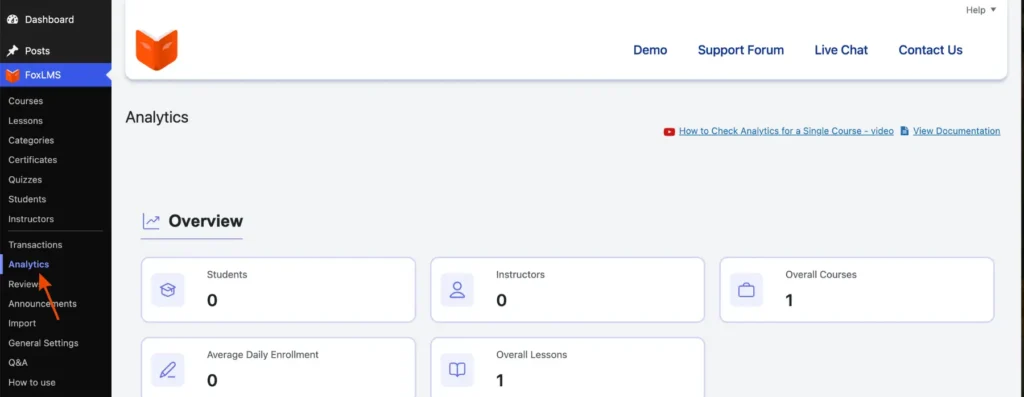
Inside FoxLMS, you can monitor:
- Total enrollments
- Lesson completion rates
- Quiz scores
- Individual student progress
- Overall course performance
This matters more than most instructors realize.
Analytics help you answer questions like:
- Where are students dropping off?
- Are quizzes too difficult?
- Is one module too long?
Instead of guessing, you adjust based on real data.
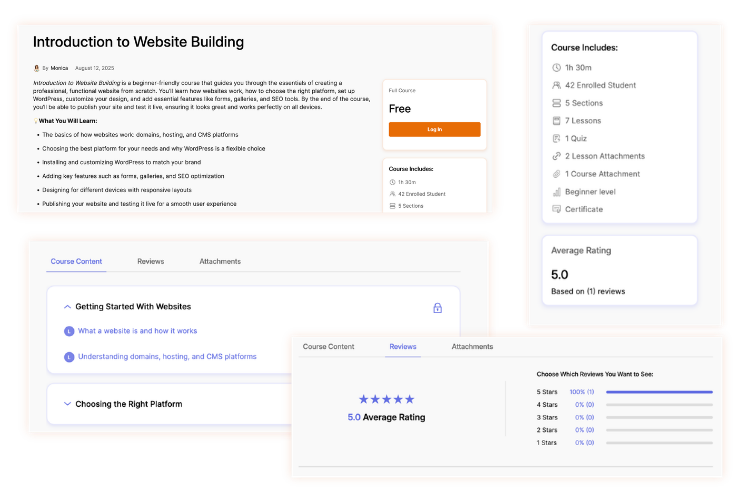
And here is the final result of the course that we created. See the full demo here.
Step 8: Test the Full Learning Flow
Before launching:
- Enroll yourself as a test student
- Complete the course from start to finish
- Take quizzes
- Check progress tracking
- Confirm access restrictions
This step alone prevents most launch-day issues.
Common Mistakes to Avoid
When using FoxLMS for the first time, avoid:
- Uploading everything without planning structure
- Creating overly long lessons
- Skipping quizzes entirely
- Forgetting to test enrollment
- Overdesigning your first version
Your first course should be clean and functional not perfect.
Why FoxLMS Is a Strong Choice for Instructors
For individual instructors, FoxLMS offers:
- Full ownership of your platform
- Simple dashboard-based course creation
- Built-in quizzes
- Progress tracking
- Enrollment control
- Scalable course management
You don’t need multiple tools stitched together.
If you choose the right training platform everything stays inside WordPress.
Final Thoughts
Creating an online course on WordPress becomes straightforward when you use the right system.
FoxLMS provides:
- Structure
- Control
- Analytics
- Flexibility
Start with one course. Keep it focused. Launch. Improve.
The hardest part isn’t the plugin.
It’s deciding to begin.