Online education has experienced unexpected growth during the last decade. The eLearning services market achieved $299.67 billion in 2024 and experts predict it will expand to $842 billion during the next six years. With this demand there is a lot of potential for creators who develop educational content, and this might be the best time to level up your game. This is also a challenge for creators who need to maintain online course creator productivity to be able to deliver excellent content.
Most course creators encounter productivity problems during their work. The amount of work becomes overwhelming to manage. The combination of module organization and script development and video production and content editing and student management and LMS administration exceeds the capabilities of individual creators and small teams. Research-based productivity tips for online course creators will help enhance your workflow to produce superior courses at faster rates.
1. Start With a Strong Course Plan
Every productive course creation process begins with clarity. A detailed plan makes your writing, recording, and editing processes more efficient.
Define Clear Learning Outcomes
Learning outcomes keep your content purposeful and organized. They assist you in choosing what to include and what to leave out so that you don’t overcomplicate lessons.
Break Content Into Concise Modules and Lessons
Smaller lessons are easier to write, record, and update. They also improve learner engagement and completion rates. Given that the online learning industry has grown 900% since 2000, students today expect short, digestible content.
Use a Standardized Lesson Template for Consistency
A reusable template gives every lesson a consistent structure. Include:
- Objectives
- Talking points
- Examples
- Activity or quiz
- Summary
Templates reduce decision fatigue and speed up your workflow.
2. Use an LMS to Centralize Your Workflow
One of the biggest productivity killers is working across too many messy tools, Google Drive here, a video folder there, scripts in Notion, quizzes in Google Forms, etc. An LMS centralizes everything.
Manage All Course Content in One Place
An LMS helps you organize all your:
- Videos
- PDFs
- Quizzes
- Student data
- Assignments
- Results
- Important statistics
Make sure to centralise for a smooth content creation workflow for online courses.
Enrollment, Tracking, and Assessments Automation
Manual admin work slows you down. Automations help handle:
- Enrollment
- Grading
- Certificates
- Notifications
- Progress tracking
WIth automation you can focus your time where it matters most. With data you can even inspire students to review your online course or upsell.
Use LMS Tools to Reduce Manual Tasks (FoxLMS Features)

With WordPress LMS plugin FoxLMS, you can simplify your entire course creation and streamline course creation process:
- Course Builder for creating and structuring lessons:
- Customize your pricing options
- Sell courses worldwide
- Handle everything from one dashboard
- Get updates from course performance
- Automation that handle repetitive tasks
- Quizzes & assessments to engage learners
- Analytics to understand student performance and to be able to increase student enrolment.
Analytics are especially important because 42% of companies say eLearning increases revenue by improving productivity and efficiency.
3. Batch Your Work to Reduce Switching Roles
Switching between writing, filming, editing, and uploading destroys productivity. Batching keeps you focused.
Script Multiple Lessons at Once
You stay in the same creative mindset and write faster.
Record Several Videos in One Session
This reduces repeated setup time and keeps your on-camera energy consistent.
Schedule Editing and Publishing in Blocks
Editing is a technical mindset. Group it together to maintain flow and reduce time wasted jumping between tasks.
4. Leverage AI Tools for Faster Content Development
AI has become one of the most powerful accelerators for course creators. According to a recent report, 60% of educators now use AI tools regularly, specifically for planning and content creation. Going forward with our eLearning content creation tips you must use AI to stay ahead.
AI-Assisted Topic Research and Planning
AI tools help identify trending topics, analyze student questions, and build lesson structures quickly. Don’t forget to combine this with research backed statistics and data.
AI for Drafting Scripts, Descriptions, and Modules
You don’t need to start from a blank page anymore. Drafts can be generated instantly and refined by you.
AI-Driven Video Editing, Captions, and Summaries
AI tools now:
- Remove filler words
- Auto-caption your videos
- Improve audio
- Summarize long recordings
- Generate highlight clips
This cuts production time significantly.
5. Create a Repeatable Content Production System
Professional course creators rely on systems, not mere inspiration. Content creation workflow for online courses are key to staying productive. Course creator tools and productivity walk side by side here.
Build Templates for Slides, Outlines, and Assignments
Templates for your slides, assignments, quizzes, and modules help you stay consistent across courses.
Set Up Recording Presets
Instead of adjusting your lighting, audio, and camera every time:
- Save presets
- Keep a consistent backdrop
- Use standard equipment settings
This “ready-to-record” setup saves hours each month.
Develop a Step-by-Step Workflow
Document your exact creation process:
- Research
- Outline
- Script
- Slide design
- Record
- Edit
- Upload
- Add quizzes
- Publish
When there is a solid system and structure in place, this process is less overwhelming.
6. Prioritize High-Impact Content First
Not all lessons are created equal.
Apply the 80/20 Rule
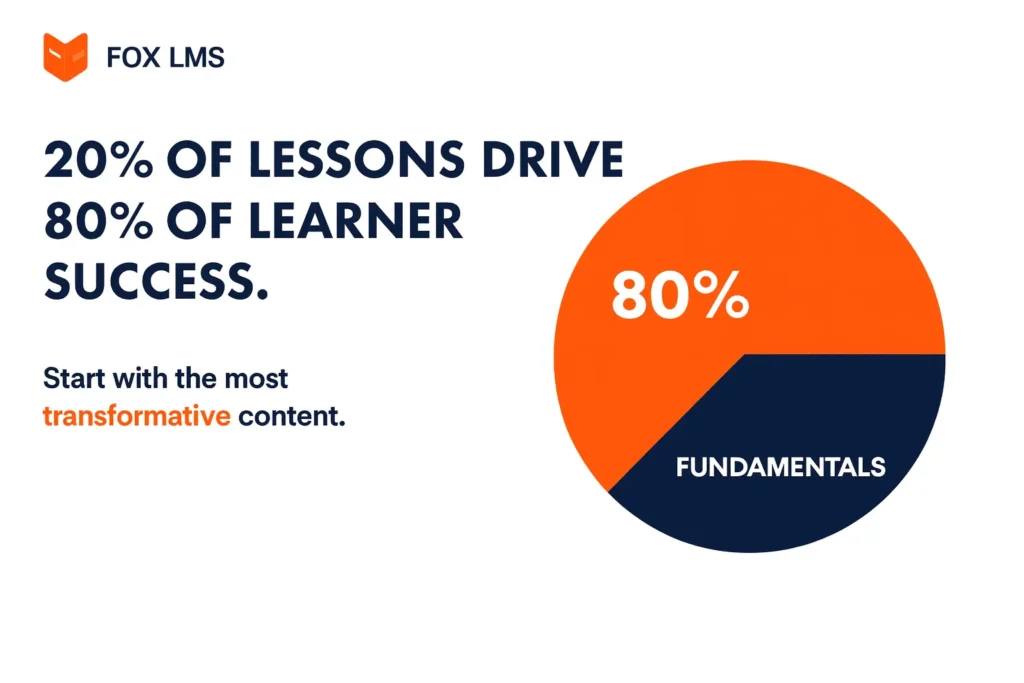
20% of lessons drive 80% of learner success. Start with the most transformative content. The 20% of your content must be the fundamentals, recurring concepts of the 80% of the course or subject knowledge. It should be your central piece and the rest revolves around that portion.
Identify Lessons Learners Need Most
Ask:
- What do learners struggle with?
- What’s essential to understand the rest of the course?
These become your top priorities.
Avoid Over-Perfecting Early Drafts
Focus on progress, not perfection. You’ll improve content later using analytics and feedback.
7. Reduce Editing Time With Smart Tools
Editing can consume more time than recording if you’re not careful. To be a good editor you need to go through hours of raw footage, have the ability to make creative decisions, add eye catchy audio and visual effects. For this you need both a creative and technical eye.
Use Auto-Transcription and Auto-Captioning
Automatic caption tools reduce manual editing time and increase accessibility. You definitely know that it’s a must to use auto captioning to improve content accessibility, video making tools help automatically generate subtitles for your videos.
AI Noise Removal and Video Enhancement
Let’s agree that one of the most disturbing things while watching video content is bad audio quality. Modern tools enhance your video quality instantly. So even if you don’t have the budget to invest in expensive production, you can still use AI tools to enhance voice quality, sharpen and clean up automatically.
Use Pre-Made Editing Presets
Create consistent:
- Intros/outros
- Color grading
- Transitions
- Audio presets
Preset workflows reduce editing time dramatically.
8. Outsource Time-Consuming Tasks
Don’t be a jack of all trades and take everything on you.
Hire Editors or Micro-Freelancers
Delegate repetitive tasks as much as your budget allows:
- Video editing
- Thumbnail creation
- Transcription
This frees your time for teaching and strategy.
Outsource Graphic Design, Transcription, or Captioning
Small tasks add up. Offload them to increase efficiency.
Focus Your Time on High-Value Work
Spend your time on tasks that require your voice, not tasks anybody can do.
9. Use Analytics to Improve Instead of Re-Recording
You don’t always need to re-record an entire lesson.
Track Learner Engagement
Analytics reveal:
- Drop-offs
- Low-performing lessons
- Quiz trouble spots
- Completion rates
Identify Lessons That Need Refinement
You may only need:
- A follow-up video
- A few clearer examples
- A better quiz
- A visual update
Use Data Instead of Guesswork
Analytics helps you eliminate unneeded work while enabling you to enhance your operations more efficiently. The system enables you to identify specific points in lessons where students lose interest or face difficulties instead of requiring full lesson re-recording. You can create specific updates through targeted changes which include adding brief explanation videos and enhancing your examples and shortening lesson duration.
10. Establish a Consistent Production Schedule
A solid routine is one of the easiest ways to boost productivity. When you create on a schedule instead of “whenever I have time,” your course moves forward faster and with less stress. Because the truth is, we never have enough time.
Set Weekly Creation Blocks
Choose fixed times each week for writing, recording, and editing. Treat these blocks as non-negotiable to maintain steady progress.
Use Simple Time-Management Methods
We have learned that time management for course creators is crucial. On average, professionals lose 40% productivity multitasking. Techniques like Pomodoro or time-blocking help you stay focused and avoid distractions while working on lessons.
Create Small, Achievable Milestones
Break your course into realistic steps, such as “write two lessons” or “record one module.” Smaller goals keep you motivated and prevent overwhelm.
Conclusion
Productivity is the same for course creators, it’s universal for all industries. You should not try to do more, you should do the right things in a smarter way. With clear planning, structured workflows, AI tools, and an LMS like FoxLMS, you can create high-quality courses faster and more consistently.
Start by applying just 2-3 productivity tips, and you’ll feel the difference immediately.
FAQ
Use batching, templates, an LMS, and AI for planning, writing, and editing.
AI writing tools, LMS platforms, auto-captioning tools, and project management apps.
Use presets, AI video cleanup, auto-captioning, and consider outsourcing.
You must have a realistic schedule, write all your to-dos using batching, don’t do everything yourself and delegate the tasks that are repetitive and not worth your time.
Centralize your work in an LMS, use folders/templates, and document your workflow.