It is very important to keep your LMS secure, especially when it comes to user registrations and form submissions. Bots and spam activity can lead to fake accounts and cause a potential security risk. The Pro Version of the FoxLMS offers Google reCAPTCHA integration to help protect your platform from such threats. By verifying that actions are performed by real users, reCAPTCHA adds an extra layer of security without disrupting the learning experience.
This documentation will guide you through enabling and configuring Google reCAPTCHA in your LMS.
How to activate reCAPTCHA Integration #
First of all, you will need to activate the reCAPTCHA. For that, you will need to move to the General Settings submenu > Integrations Tab
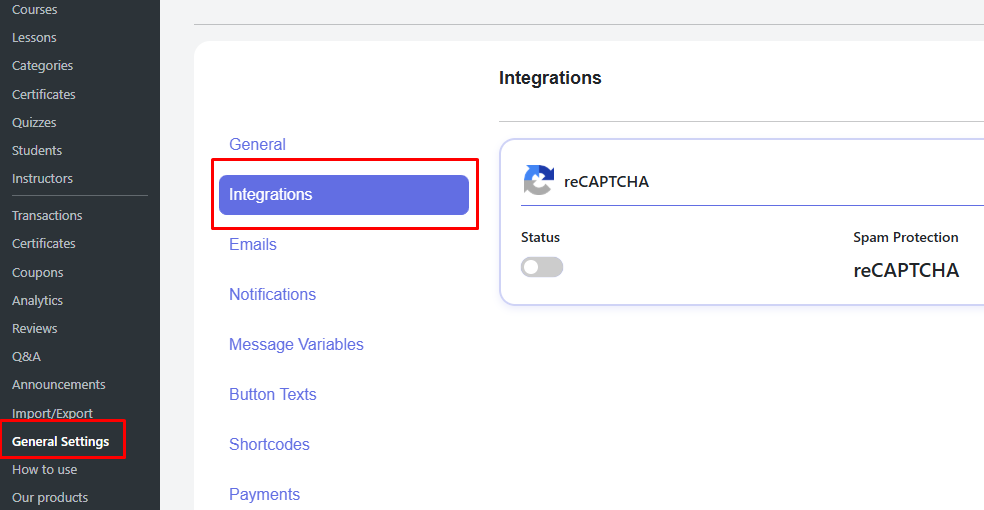
Then, make sure to activate the toggle.
You must configure reCAPTCHA in your Google account to generate the required keys using the Google reCAPTCHA Admin Console. Follow the mentioned link > Create a label > Choose the appropriate version > Add your domain name.
Then you will need to add the Site Key and Secret Key in the appropriate fields.
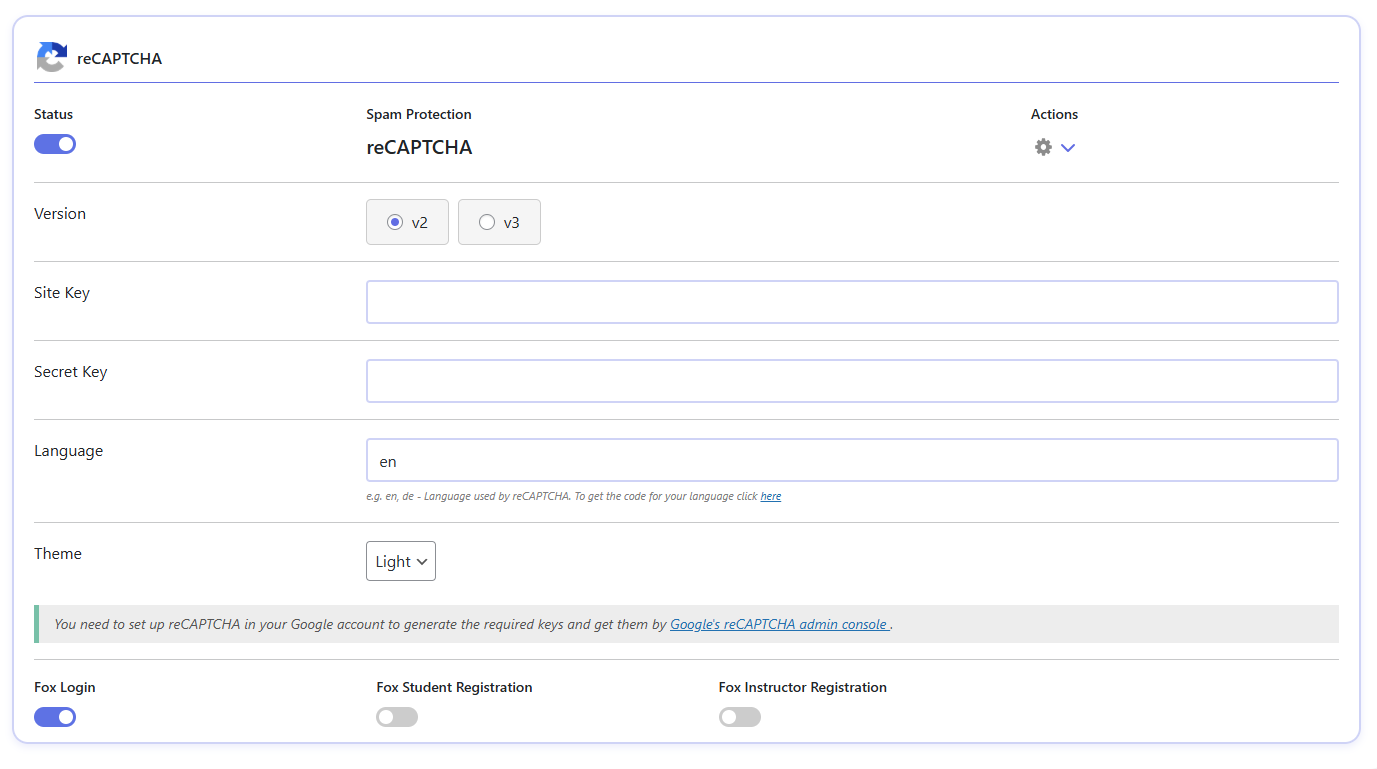
reCAPTCHA integration offers you the following features to set it up on your wish.
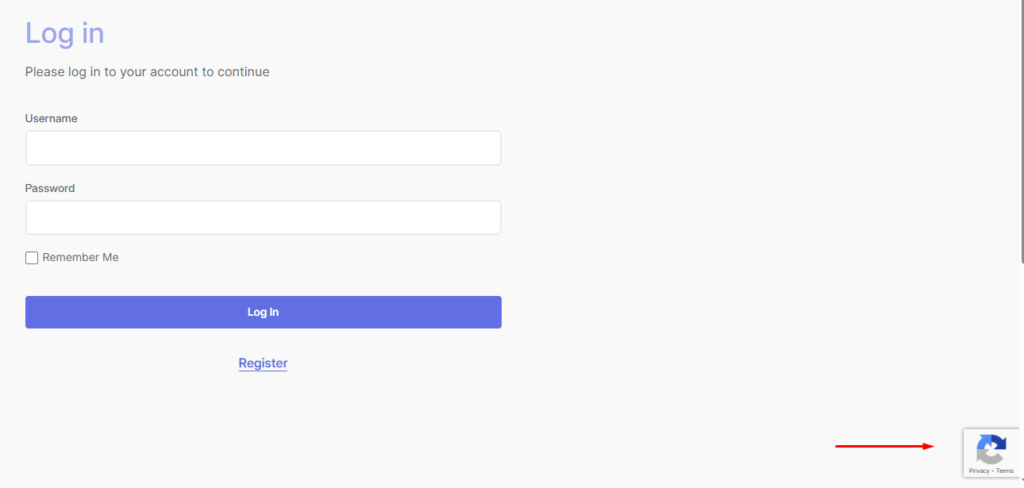
- Version – v2 and v3 are available for use. Choose the most appropriate one for you. By choosing v2, the users must check the “I’m not a robot” checkbox. The reCAPTCHA v3 is completely invisible to users. It works silently in the background, as displayed in the image below. Only an icon is displayed.
- Language – Choose the language in which you want the spam protection to be visible. You must write the languages in their langIuage code, for example, for English, you must write en
- Theme – Light and Dark themes are available in the integration. Choose the one that will be convenient for your website.
Where to show the spam protection #
You can display the spam protection and secure your lessons with the following options.
- Fox Login – Display the spam protection as soon as users want to login to your LMS platform.
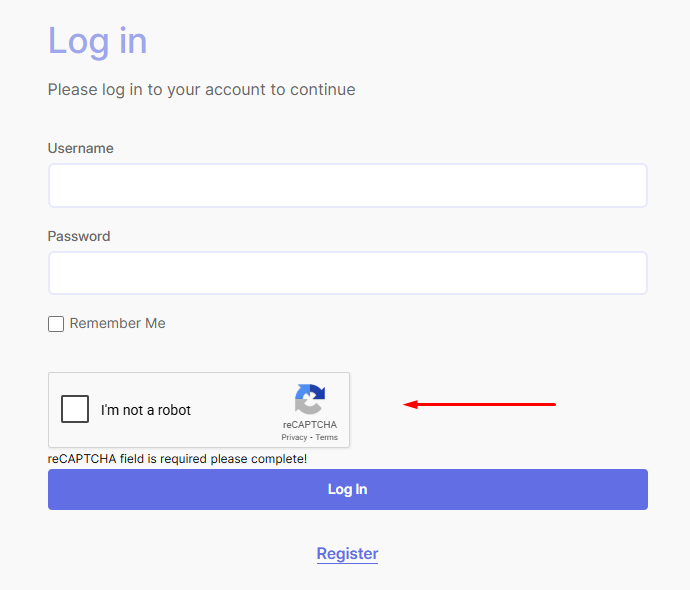
- Fox Student Registration – Show reCAPTCHA when students want to register for your course.
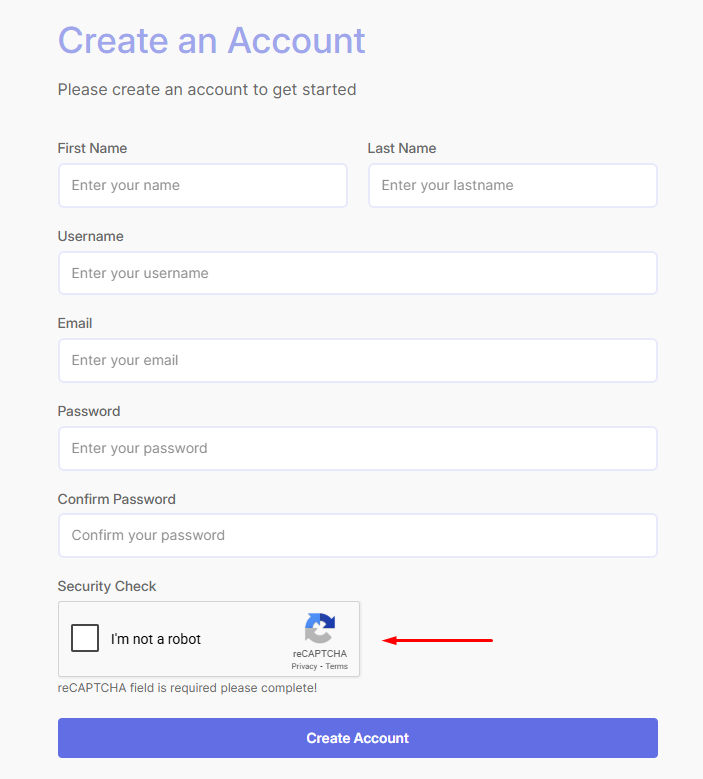
- Fox Instructor Registration – As soon as the instructors want to register for your LMS platform, the spam protection will be displayed.
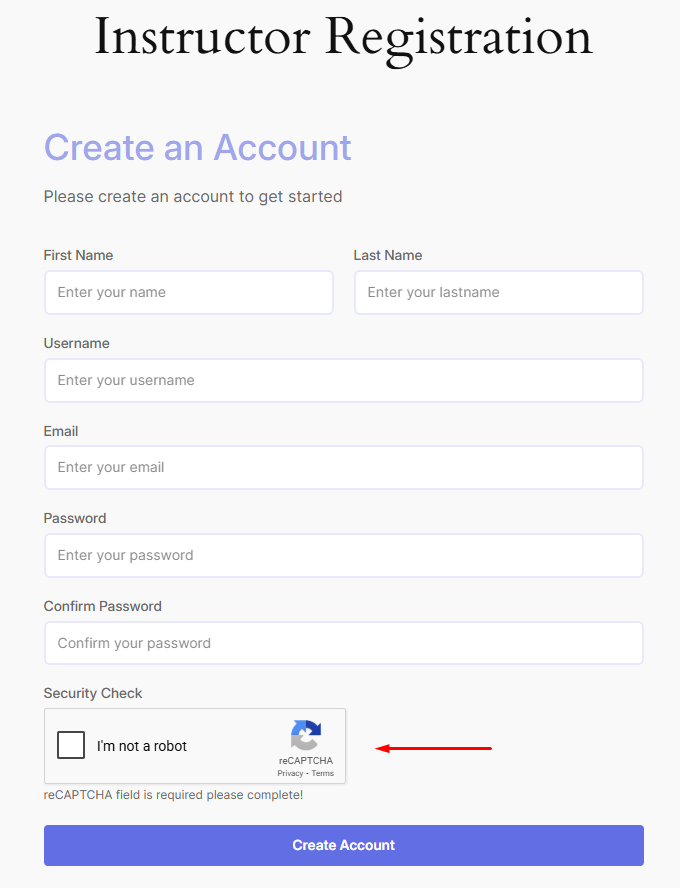
So, that’s all. Now you set an extra spam protection for your LMS platform with the help of the Google reCAPTCHA integration. After completing the setup, protection is applied automatically, so you can focus on managing your courses instead of dealing with fake registrations.
However, if you face any issues or concerns, do not hesitate to contact our support team.


